

How to Use BetKing Nigeria: Register, Login & Download App
🎲 Want to start with BetKing Nigeria? Learn step-by-step how to register, verify your account, log in, and download the app on Android or iOS safely.📱
Edited By
Oluwatobi Adeyemi
Betking registration app brings the full experience of Betking’s sportsbook right to your phone, making betting easier and faster wherever you are in Nigeria. Whether you’re catching a danfo to work or waiting at the mama put, you can place bets instantly without needing a laptop.
Before downloading, there are a few things to keep in mind. First, the app requires Android 5.0 or higher and iOS 11 or later. Most modern smartphones meet this, but double-check your phone settings to avoid issues. Also, because Betking operates under Nigerian regulations, users must be at least 18 years old and provide valid identification during signup — usually your National Identification Number (NIN) or International Passport.

Installing from official sources matters. The Betking app is not on the Google Play Store due to Play Store rules on betting apps, but you can download it directly from Betking’s website or verified Nigerian app stores. Avoid third-party sites offering the app to prevent malware risks. After downloading, your phone may ask for permission to install apps from unknown sources; accept this temporarily to complete installation.
Once installed, the registration process asks for essential details:fullname, phone number, email, date of birth, and a secure password. You’ll also set your preferred currency, usually Nigerian Naira (₦). Remember to double-check your phone number and email to receive verification messages — an important step to avoid signup errors.
To make your Betking experience smooth, use a stable internet connection during registration. Slow or interrupted connections often cause issues like failed OTP verification.
Besides registration, the app offers quick access to live betting, detailed match statistics, and instant deposits or withdrawals via Nigerian fintech platforms like Paystack or Flutterwave — seamlessly bridging your betting and bank accounts.
In Nigeria, power and internet challenges can disrupt online activities. Betking app’s lightweight design helps reduce data usage, saving you money on mobile data while keeping your bets live. Plus, notifications help you stay on top of results or promos without opening the app frequently.
Overall, installing and registering on the Betking app is straightforward if you follow these guidelines. Having your documentation ready, ensuring your phone software is updated, using trusted download sources, and securing a good internet connection will get you betting in no time.
Next, we’ll guide you step-by-step through the registration and set-up process to get you started instantly.
Getting to know the Betking registration app is key to making your betting experience smoother and faster. Many Nigerians, whether office workers juggling time or entrepreneurs always on the move, find the app more practical than accessing the website through a browser. Knowing what the app offers helps you decide how it fits your lifestyle and betting needs.
The Betking registration app is a mobile application specially designed to simplify the process of signing up on Betking. Instead of logging onto the website, you can create an account directly from your smartphone, saving time and data. For example, if you’re commuting in Lagos on a danfo, registering through the app is quicker and less frustrating than waiting for a website to load on a slow network.
Unlike the web platform, which depends heavily on browser compatibility and internet speed, the app runs smoothly on both Android and iOS devices. This means fewer interruptions and less hassle during registration or while placing bets, especially in areas where internet connection fluctuates.
The app boasts a user-friendly interface designed with simplicity in mind. Its clean layout and clear icons guide users effortlessly through each step, from entering personal details to confirming registration. For instance, even if you’re new to online betting, the app’s prompts and easy navigation help you avoid confusion, making the process stress-free.
Security is a big deal with Betking’s registration app. It incorporates encryption and secure server connections to protect your personal information during sign-up. This reduces the risk of data leaks—something that’s quite reassuring given the rise of cyber fraud in Nigeria. Plus, the app supports biometric logins like fingerprint or face recognition, adding an extra layer of protection.
Besides, the app gives you quick access to ongoing promotions right from the home screen. New users can immediately see welcome bonuses or special offers, which sometimes are exclusive to app users. This instant visibility helps you pick the best deals without digging around the website, letting you start betting with a bonus boost almost immediately.
Using the Betking app means faster registration, greater security, and easier access to bonuses—all tailored for Nigerian users who want convenience and trust.
This solid mix of practical features makes the Betking registration app a smart choice for anyone ready to step into sports betting, especially in Nigeria’s fast-paced environment.
Knowing how to download and install the Betking registration app is essential if you want quick, hassle-free access to Betking's betting services right from your phone. This process not only saves you time but also ensures that you use a genuine, secure app. Since many Nigerians prefer betting on the go, having the app properly installed reduces dependency on browsers, which can be slow or unstable.
The safest way to get the Betking app is through the official Betking website. This source guarantees you receive the latest version without malware or any tampering. For example, downloading the app directly from the Betking site helps avoid fake versions that scammers might use to steal your login details. When you visit their website on your phone, look for a clear download button for Android or iOS. Always double-check the URL to confirm it’s the legit Betking page.
Apart from the official website, you can also find Betking’s app on trusted app stores like the Google Play Store or Apple App Store. These platforms have a vetting process, which reduces the risk of malware. However, Betking’s Android app is sometimes not available on Google Play due to store policies, so the official site remains preferable for Android users. For iPhone users, the App Store is the go-to place and makes installation smoother without extra settings.
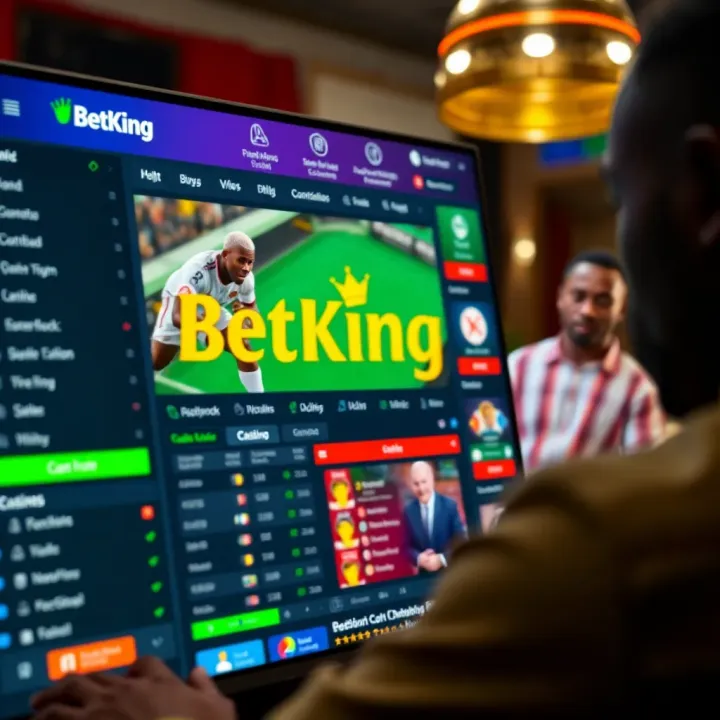
If you download the Betking APK directly from the official website on Android, you need to enable installations from unknown sources. This setting allows apps outside Google Play to be installed. To do this, go to your phone’s Settings, then Security or Apps & Notifications, and toggle the option to allow "Install unknown apps" for your browser or file manager. Remember to disable it afterward to keep your phone secure.
Once the APK file downloads on your Android phone, open the notification or file manager to find the file and tap it to start installation. Follow the prompts and grant necessary permissions, but be cautious not to allow excessive access unrelated to the app’s function. On iPhones, simply tap the download from the App Store and wait for automatic installation. The app will appear on your home screen ready for registration.
Sometimes installation might fail due to low storage space, an outdated operating system, or incomplete downloads. Clearing some space or restarting your phone often solves the problem. If the installer says "app not installed," check if you already have an older Betking version. Uninstall that first before trying again. Also, poor internet connection can interrupt downloads, so ensure stable data or wifi.
Betking requires a smartphone with Android 5.0 (Lollipop) or iOS 11 and above for smooth operation. Older devices may face performance issues or fail to install the app. Make sure your phone meets these minimum specs; otherwise, consider upgrading. Checking available RAM and storage also helps since betting apps handle live updates and need some breathing room.
To get started smoothly, always download the Betking app from official sources, follow the installation steps carefully, and check your phone compatibility before diving into the betting action. This approach safeguards your account and betting funds.
With the app properly installed, you’re just a tap away from quick registration and seamless betting on Betking’s platform.
Registering a new account on the Betking app is your first step towards joining Nigeria’s vibrant online sports betting scene. This process gives you access to all the betting markets and features Betking offers, right from your phone—very convenient if you're always on the go, whether commuting in a danfo or taking a break at your office desk.
When you open the registration form, you'll need to provide accurate personal details. This includes your full name, date of birth, and residential address. Betking requires these details to comply with regulatory standards and to ensure your account is secure. Giving incorrect information may cause delays later, especially during identity checks or withdrawals, so it's best to double-check everything before submission. For example, the name on your account should match the one on your identification documents to avoid verification problems.
Betking places strong emphasis on verifying your phone number and email address. Once you input these contacts, the app sends a unique code via SMS or email that you must enter to confirm ownership. This step protects your account from unauthorised access and also ensures you don't miss important communication like promotional offers or bet results. Using a valid Nigerian phone number registered in your name not only strengthens security but also helps in quick recovery if you forget your login details.
Creating a strong password is crucial for protecting your Betking account. The app normally requires at least eight characters, including uppercase letters, numbers, and symbols. Avoid simple or common passwords like "password123" to reduce the risk of hacking. A good example would be a unique combination like "NaijaBet2024!" which mixes various character types. Remember, your password keeps your winnings and personal info safe, so make it strong and avoid sharing it with anyone.
Many phones now support biometric options such as fingerprint scanning or facial recognition. Betking’s app leverages these features to offer quicker and safer login. Using biometrics means you don’t have to type your password every time, yet your account stays secure from strangers. For instance, on a phone with fingerprint sensor, you can unlock your Betking app with a touch, making betting faster especially when odds change suddenly during live games.
Know Your Customer (KYC) rules require you to upload valid identification documents like your National Identity Card (NIN), driver’s licence, or international passport. This confirms your identity and helps prevent fraud. The app usually guides you on how to take a clear photo of your document or upload scanned copies. Make sure all details are visible to avoid rejection. For example, a blurred image of your NIN may lead to repeated requests, delaying your full access.
Verification by Betking’s team typically takes between 24 and 72 hours, but can sometimes be faster. The speed depends on how clear your documents are and the volume of verification requests they are handling at the time. You can keep tabs on your status in the app. Once verified, you can start placing bets and enjoy full account functionality. Meanwhile, if more info is needed, Betking support will contact you through the verified phone number or email.
Completing registration on the Betking app with accurate details and following verification steps ensures your account is ready for all betting activities without hitches. Take your time during sign-up—it saves you stress later.
This careful approach to registration protects you and makes the Betking app a trusted platform for your betting experience.
Registering on the Betking app should be straightforward, but many new users run into predictable challenges. Understanding how to handle common errors and knowing when to reach out for help can save you precious time and prevent frustration. This section highlights typical registration snags and offers practical advice on how to navigate them smoothly.
When signing up, users often face error messages due to simple but avoidable mistakes. For example, entering a phone number in the wrong format or providing an email address with a typo can trigger validation failures. Using an already registered phone or email is another common issue. Ensure you follow the exact format requested—such as including your country code for phone numbers (e.g., +234 for Nigeria) and avoiding spaces in email fields.
Another typical slip is ignoring the password requirements. Betking usually demands a mix of letters, numbers, and symbols for security. Picking a weak password or one that does not meet these criteria will cause errors. Double-check your inputs before pressing submit, and avoid rushing through the forms to prevent these hiccups.
Losing your login details can stall your betting plans. Thankfully, Betking app provides straightforward ways to recover accounts. If you forget your password, the "forgot password" option allows you to reset it via a verification code sent to your registered phone or email. Follow the prompts carefully, and create a fresh password that meets the app’s security standards.
If you lose access to your phone number or email, recovery becomes trickier. In such cases, having your BVN (Bank Verification Number) handy helps when contacting support. Also, keep your identification ready, as Betking may require extra verification to confirm your identity before restoring access.
Betking offers several ways to get help if registration problems persist. You can reach out through their live chat feature on the app, which connects you to agents in real time. This is the fastest route for urgent issues.
Alternatively, Betking support can be contacted via their official email or customer service phone lines. Social media accounts serve as additional channels, but for sensitive matters like registration, direct contact through the app or phone is more reliable.
When you contact Betking support, having key details ready speeds up the process. Provide your full name as registered, phone number, email, and a clear description of the problem. Mention any error codes displayed or exact messages from the app.
Including a screenshot often helps agents understand your issue quicker. If relevant, provide your BVN and the type of device and OS version you use (e.g., Android 11 on Samsung Galaxy S20). The clearer your information, the higher the chance of swift resolution without multiple back-and-forths.
Facing registration challenges is normal, but knowing how to tackle errors or reach out for support makes your Betking experience smoother and quicker. Prepare your details, follow instructions closely, and you’ll be betting in no time.
The Betking registration app offers more than just a way to sign up; it’s designed to make the entire onboarding process smoother and faster especially for Nigerian bettors who prefer using their phones. Understanding these advantages can help you decide why sticking to the app rather than the website might be worthwhile, particularly if you value speed, convenience, and exclusive rewards.
Registering via the Betking app typically takes less time than signing up through the website. The app is optimised to reduce unnecessary steps and loads quicker on mobile devices, helping users avoid hassles like slow browser connections or site timeouts common during peak hours. For example, busy Lagos commuters can sign up within minutes during their danfo rides without worrying about browser glitches or data-heavy pages.
Moreover, the app’s interface guides you through each part of the form clearly, preventing errors that may otherwise delay account setup online. This swift process means you can place bets or explore features almost immediately after registration, rather than waiting around for email confirmations or page reloads.
A big draw of using the Betking app is access to promotions that aren’t available on the website. These offers often include welcome bonuses, free bets, or deposit rewards tailored specifically for mobile users. For instance, new users registering via the app sometimes receive additional betting credits not offered on the desktop platform.
These exclusive campaigns aim to encourage app uptake and reward loyal customers using the platform regularly. Taking advantage of such bonuses can increase your betting budget and improve your chances of winning without extra investment. It's a practical benefit that shows betting companies value mobile users in Nigeria’s growing digital market.
The Betking app is built specifically for mobile devices, making navigation and interaction easier than on a mobile browser. This results in quicker loading times, smoother animations, and responsive touch controls. For instance, tapping through betting categories or checking live scores feels natural and seamless, even on entry-level smartphones common in many Nigerian households.
The app also supports features like push notifications, which keep you updated on upcoming matches, new bets, or account alerts without constantly refreshing a web page. Besides convenience, these help you stay engaged and never miss out on important betting opportunities.
Choosing the Betking app is like having a betting shop in your pocket — fast, easy, and rewarding whenever you want to place a bet or check odds.
Overall, the Betking registration app streamlines sign-up, brings extra perks, and delivers a tailored user experience that suits the busy and mobile lifestyle of Nigerian punters. If you want to skip the typical website delays and get straight to enjoying Betking’s sportsbook, the app remains the best route to take.
🎲 Want to start with BetKing Nigeria? Learn step-by-step how to register, verify your account, log in, and download the app on Android or iOS safely.📱

Register on BetKing with ease! Follow simple steps for account creation, deposits, and verification tailored for Nigerian bettors 🇳🇬⚽💰

📲 Learn how to register on Betking Nigeria with an easy step-by-step guide. Get tips for verification, funding your account safely, and solving common sign-up hitches. Bet smart with confidence!

Want to join BetKing, one of Nigeria's top sports betting sites? 🎯 Get simple step-by-step guidance on registering, verifying your account, securing funds, and tips for a smooth start! 🏅
Based on 13 reviews